Office Pulse is positioned well for a simple monetization model: a clean puzzle game with an optional one-time ad-free upgrade. That matches the tone of the app and avoids a confusing pricing story.
Why ad-free fits this product
The game already leans on:
- calm visuals
- readable boards
- short but focused sessions
- a low-friction loop
For that kind of puzzle game, an ad-free option makes sense because it preserves concentration and keeps the experience feeling polished.
What players should understand
The website should make these points clear:
- ad-free is intended as a one-time unlock
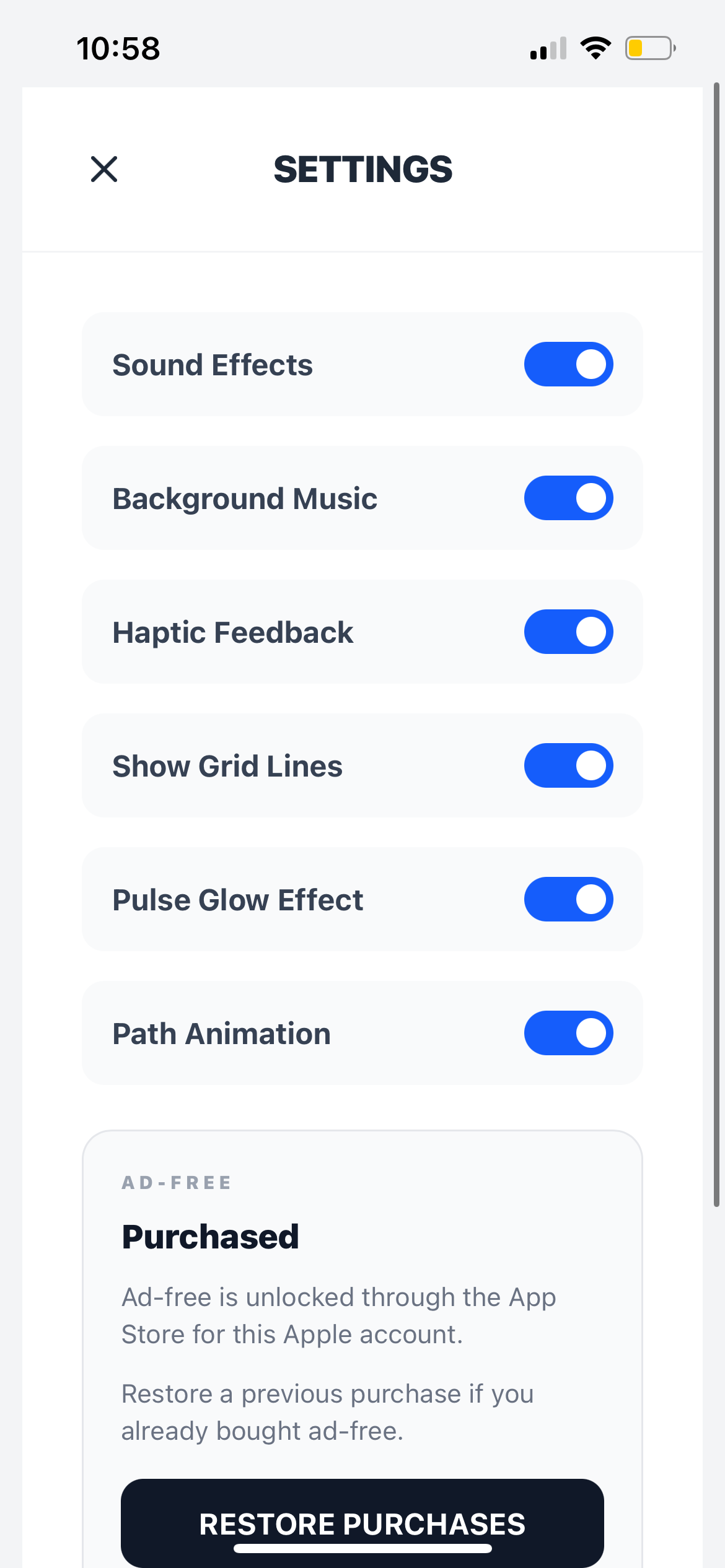
- restore purchases should be available if the user bought it before
- restore path: Settings -> Ad-Free -> Restore Purchases
- billing and refunds on iOS are handled through Apple
- support is available if the entitlement does not restore correctly
If applicable in your current build: no ads are shown during the tutorial flow.
Good support language for the site
If a player has trouble with the purchase:
- Restart the app.
- Use the restore-purchase option.
- Confirm the correct Apple account is being used.
- Contact support if the issue continues.
Quick FAQ
Is ad-free one-time or subscription?
Ad-free is intended as a one-time non-consumable unlock.
What if I reinstall the app?
Open Settings and use Restore Purchases under the same Apple account.
Ad-free not active after purchase?
Restart the app, restore purchases, and verify the Apple account. If it still fails, contact support.
For support details, visit Support.