Office Pulse is not only a one-screen puzzle concept. The current app screenshots show a real campaign structure with level ladders, journey progress, and stat tracking that gives each run more meaning.
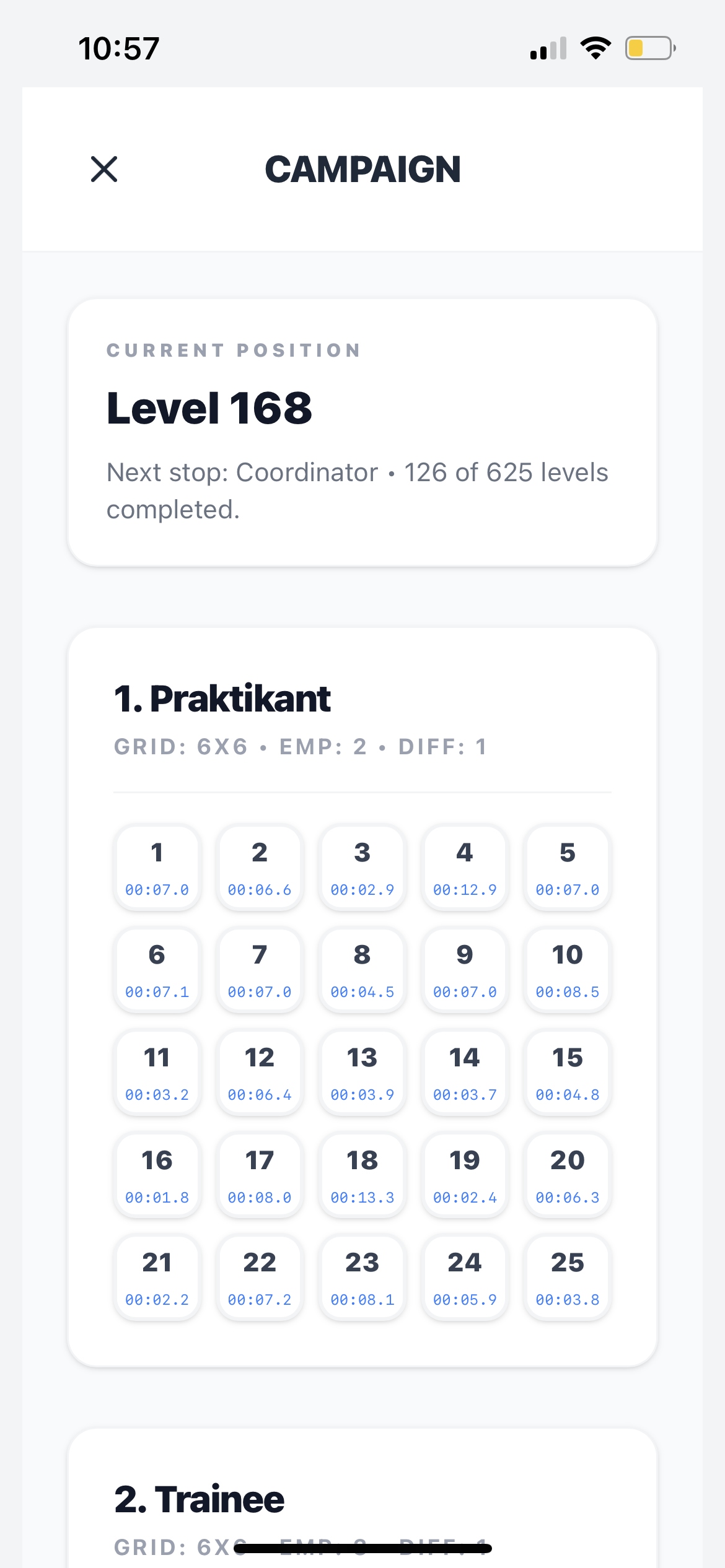
Campaign progression
The campaign screen in the current build shows:
- structured level groups
- tracked progress through the current office journey
- clearly separated stages
- room for long-form progression rather than isolated puzzle sessions
That helps Office Pulse compete as a proper iPhone puzzle game instead of a lightweight prototype.
Performance tracking adds replay value
The performance screen highlights a second layer of motivation:
- attempts
- retries
- paths completed
- lives lost
- best time totals
- average best time
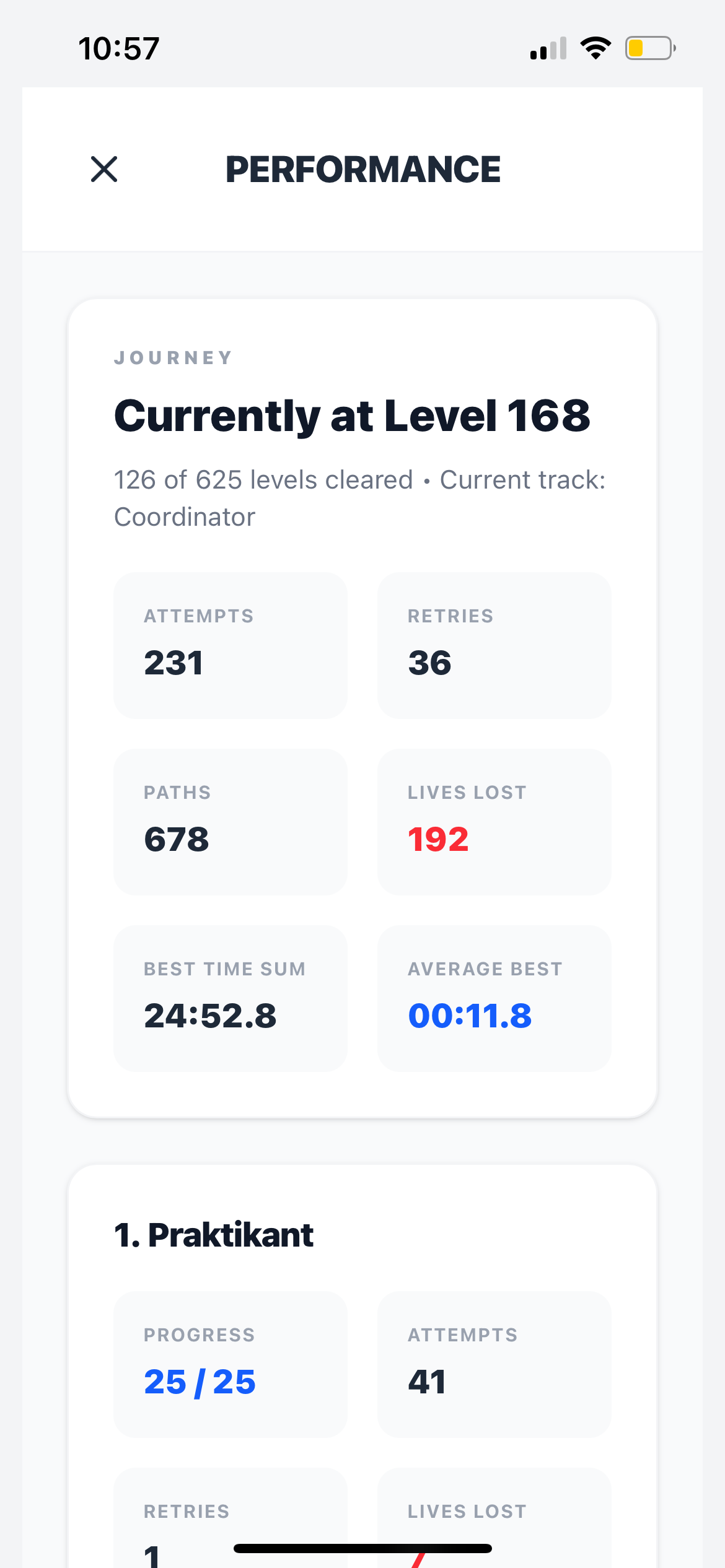
This is important for players deciding whether the game has real depth. It gives the site strong proof that the game has depth, structure, and measurable improvement instead of only a soft visual hook.
The 3-star layer
Each board is designed around three performance targets:
- Completed - solve the workflow
- Flawless - avoid route mistakes
- Target time - finish under the benchmark
This creates a meaningful replay loop for both casual clears and optimization-focused runs.
Daily challenge and career loop
Beyond campaign levels, Office Pulse is built around long-term motivation:
- Daily Challenge puzzle sessions (offline-capable)
- career ranks and badge milestones
- visible progression from first clears to high-precision play
Why this matters on the homepage
Campaign depth and stats help answer a practical App Store question:
“Will this still feel interesting after the first few levels?”
The answer is yes, because Office Pulse is already designed around:
- progression
- improvement
- replayable optimization
- level variety
To see the monetization and restore side, continue to Ad-Free. For route mechanics, read How It Works.