Office Pulse is a logic puzzle game where every level asks you to connect desks by tracing the right paper path across the office grid. The challenge is not speed alone. The real puzzle is finding the exact route without crossing the wrong spaces or wasting attempts.
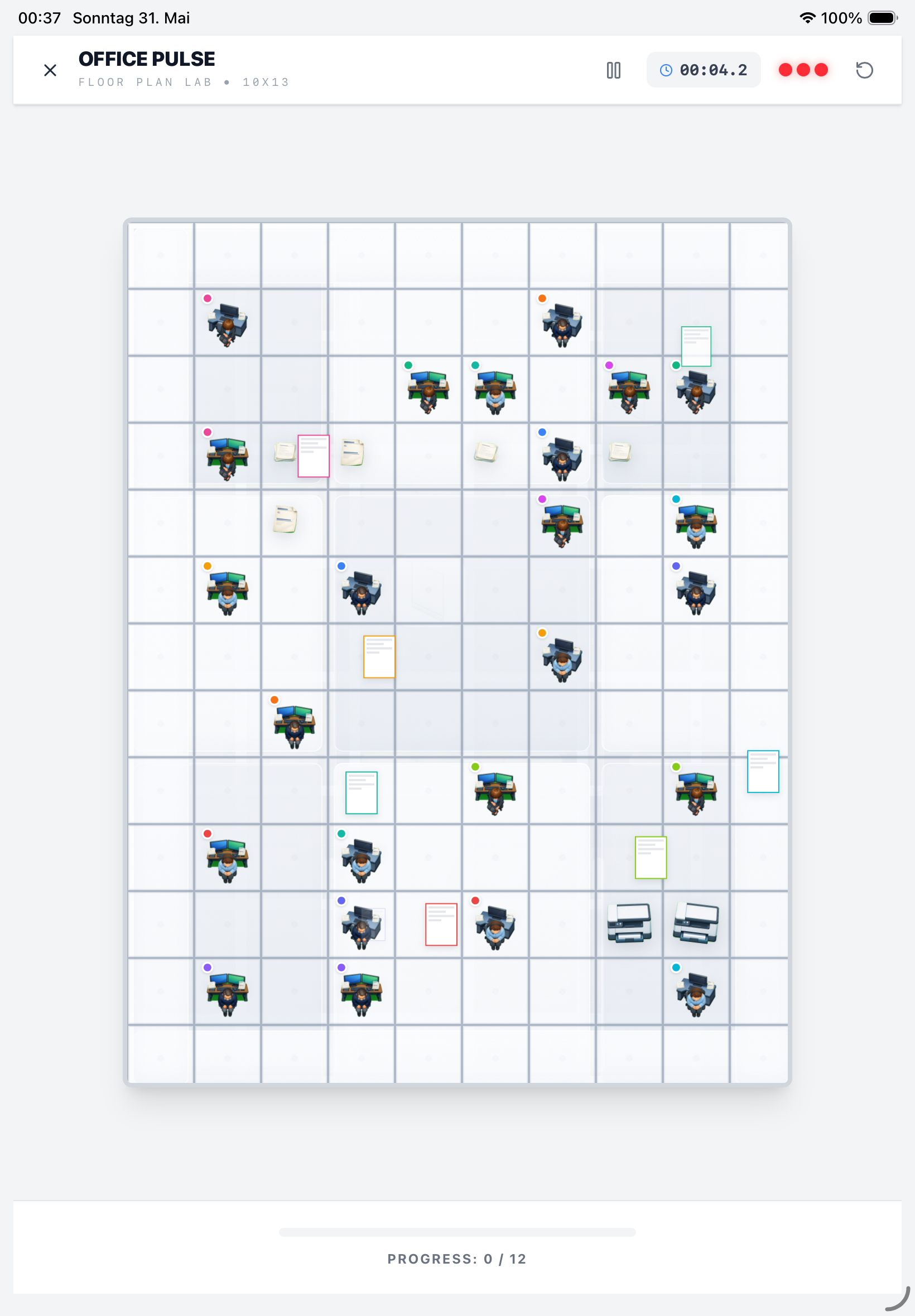
The core interaction
- Each level places desks and document targets on a grid.
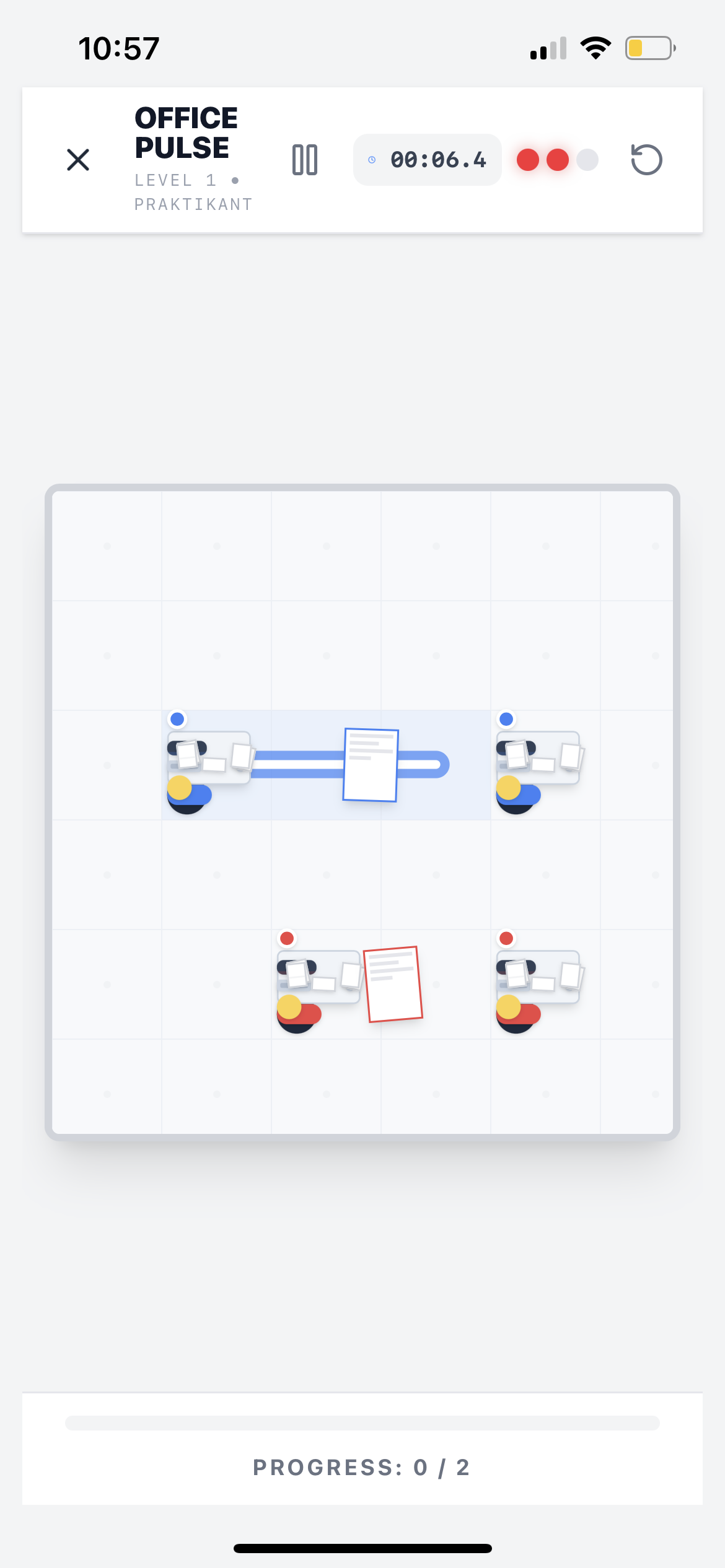
- You drag from one desk toward the matching destination.
- The glowing path preview helps show the intended route.
- Progress only counts when the correct connection is completed.
That makes the game feel readable on a phone while still leaving room for harder layouts later in the campaign.
Why the mechanic feels satisfying
Office Pulse does not rely on visual clutter. The board stays clean, the path feedback is obvious, and the level objective is understandable in a few seconds. That is exactly why the screenshots work well on a homepage too: visitors can immediately see what they are supposed to do.
Stars and performance tracking
Office Pulse adds a clear performance layer on top of the route mechanic:
- Completed star for solving the level
- Flawless star for error-free execution
- Target time star for speed and precision
The game also tracks retries and best times, turning each replay into a measurable improvement loop instead of random repetition.
Daily Challenge and career progression
- Daily Challenge provides a fresh puzzle loop and works offline.
- Career ranks, promotions, and badges support long-term motivation.
- The result is a game that works for quick sessions and sustained mastery.
Tutorial-first onboarding
The current build already includes a dedicated tutorial flow that teaches the basics without overwhelming the player. That supports a lower-friction App Store conversion story:
- easy to understand
- pleasant to look at
- harder over time
Turning office chaos into paperless order
Office Pulse is not just a puzzle skin. It mirrors real-world process cleanup:
- growing floor plans create dependency pressure
- not every route can be solved in parallel
- paperless order comes from many correct small moves
That is why each finished board feels like real transformation, not just level completion.
What kind of puzzle audience this fits
Office Pulse is a good fit for players who already enjoy:
- flow-style puzzles
- route and connect games
- grid-based brain games
- polished short-session puzzle apps on iPhone
If you want to see how the game scales over time, continue to Campaign and Performance.